Activity & notifications
Your full history of trades, launches and funding, and live notifications.
The Activity page is the full history of what happened on the selected chain: every trade, with what triggered it, plus launches and funding.
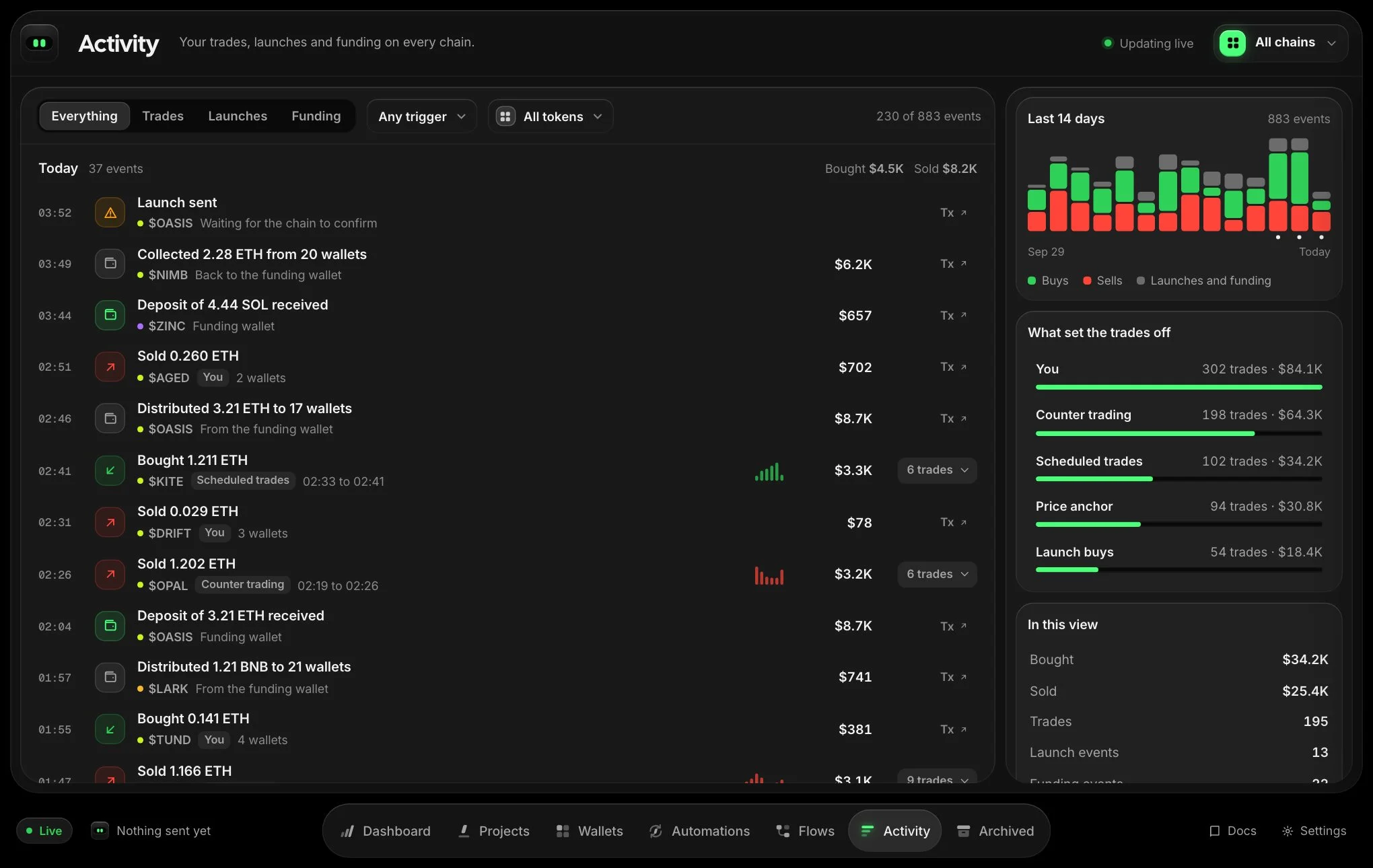
Filter it
- Type: everything, trades, launches or funding.
- Trigger: you, counter trading, scheduled trades, the price anchor or launch buys.
- Token: one token or all of them.
Each trade shows its value in USD and links to the transaction. Select Load older activity to go further back.
Notifications
Printer does not raise a pop-up for every action. When something you started finishes, the control you used confirms in place, and the receipt line at the bottom left shows the result: filled trades (with a link to the transaction), partial fills, and errors. Select the line to see the recent ones. They remain for this session.