Funding & launching
Fund your wallets and launch from the launch panel.
A saved draft is launched from its project page in a guided panel: fund the wallets, then launch.
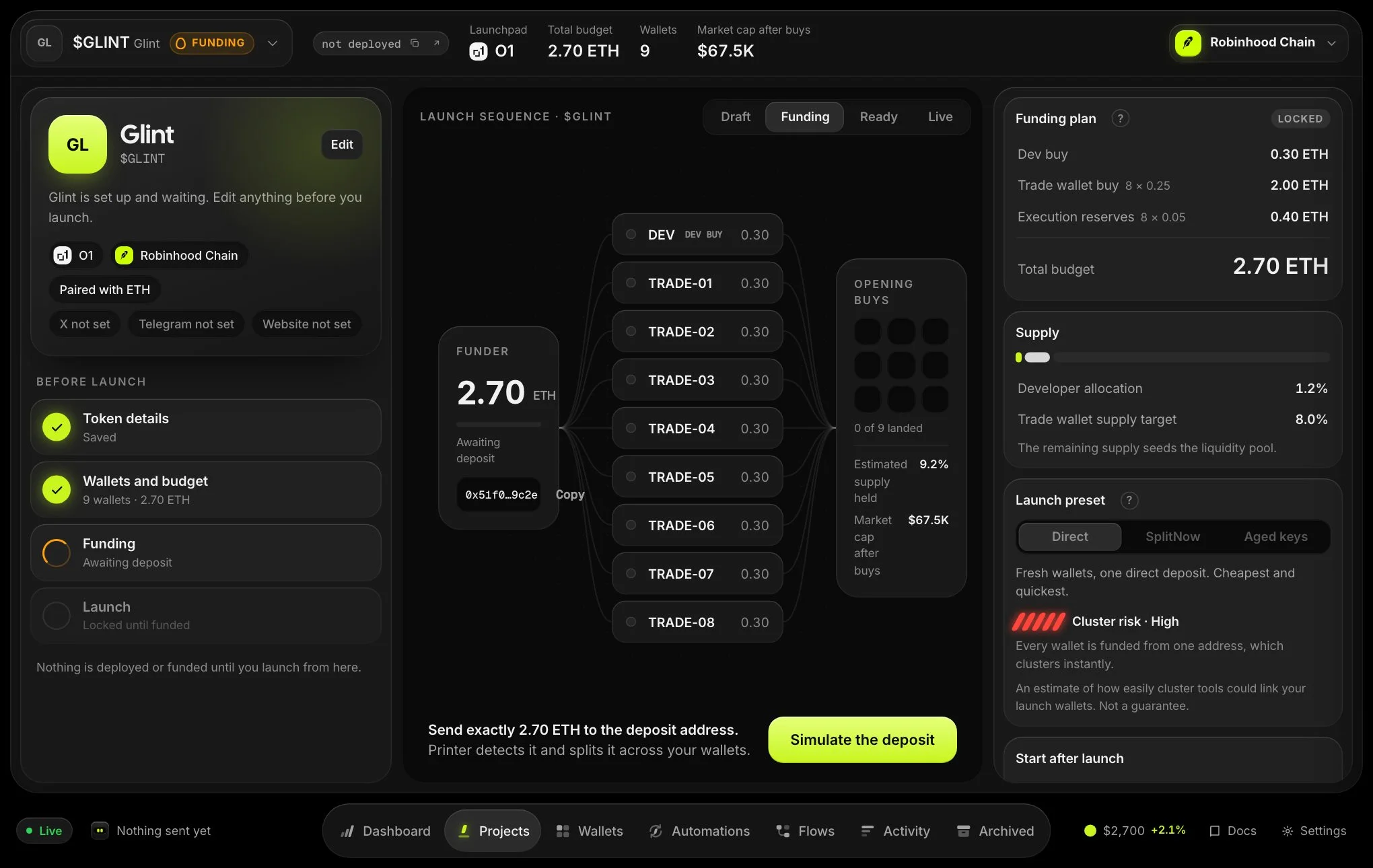
- Review and get deposit detailsCheck the plan, edit it if needed, then choose a funding method and Get deposit details. This locks the budget and gives you a deposit address.
- FundSend the amount shown. Printer distributes it to your developer, trade and funding wallets and shows a breakdown as it goes.
- LaunchWhen funding completes the project is Ready. Select Launch to deploy the token and make the initial buys.
Funding methods
| Method | How it works |
|---|---|
| Direct | One deposit. Funds are distributed to your wallets automatically. |
| Hops over time | Solana pump.fun launches: one deposit, then each wallet is funded through 1 to 4 private hops with random delays (minutes in total). The panel shows how many wallets are funded and when the next hop runs. The deposit is a little larger than Direct to cover the hop fees. |
| Husher | Private delivery from multiple sources. May add a small top-up for provider minimums and fees. |
| SplitNow | Private delivery through an exchange split. Not available for Solana launches. |
| Ready by a time | Solana, when your server offers it: wallets are funded across exchanges, spread out until a time you choose. A close time is accepted, but the orders are packed closer together (less private). The panel says how far apart they will be, and when the wallets are expected to be ready if that is after your time. A time in the past, or more than 30 days out, is refused. The panel shows how many orders were delivered and when the next one runs. If the funding wallet runs short before an order, it names the exact amount to send. |
Only the methods the chain supports are shown. When you buy aged wallets, those are prepaid and the deposit covers only the fresh wallets. Send exactly the amount shown. On Solana it is shown to the last lamport.
Paused funding
A withdrawal from the launch wallets while hops are running pauses the funding: transfers already signed finish and nothing new starts. The panel shows Funding paused for a withdrawal. Select Resume funding to continue. If a wallet ends up short, the panel names exactly what to send to the funding wallet. Never send the full deposit again.
If a launch fails
The panel shows the reason. Fix what it says (usually edit the configuration) and select Retry launch. If the outcome of the last launch is unconfirmed, there is no retry: the panel shows Waiting for support to reconcile this launch until support confirms what happened. See project statuses.