Create a launch
The four steps from launchpad to a saved draft.
Creating a launch saves a draft. Nothing is deployed or funded until you launch it from the project page.
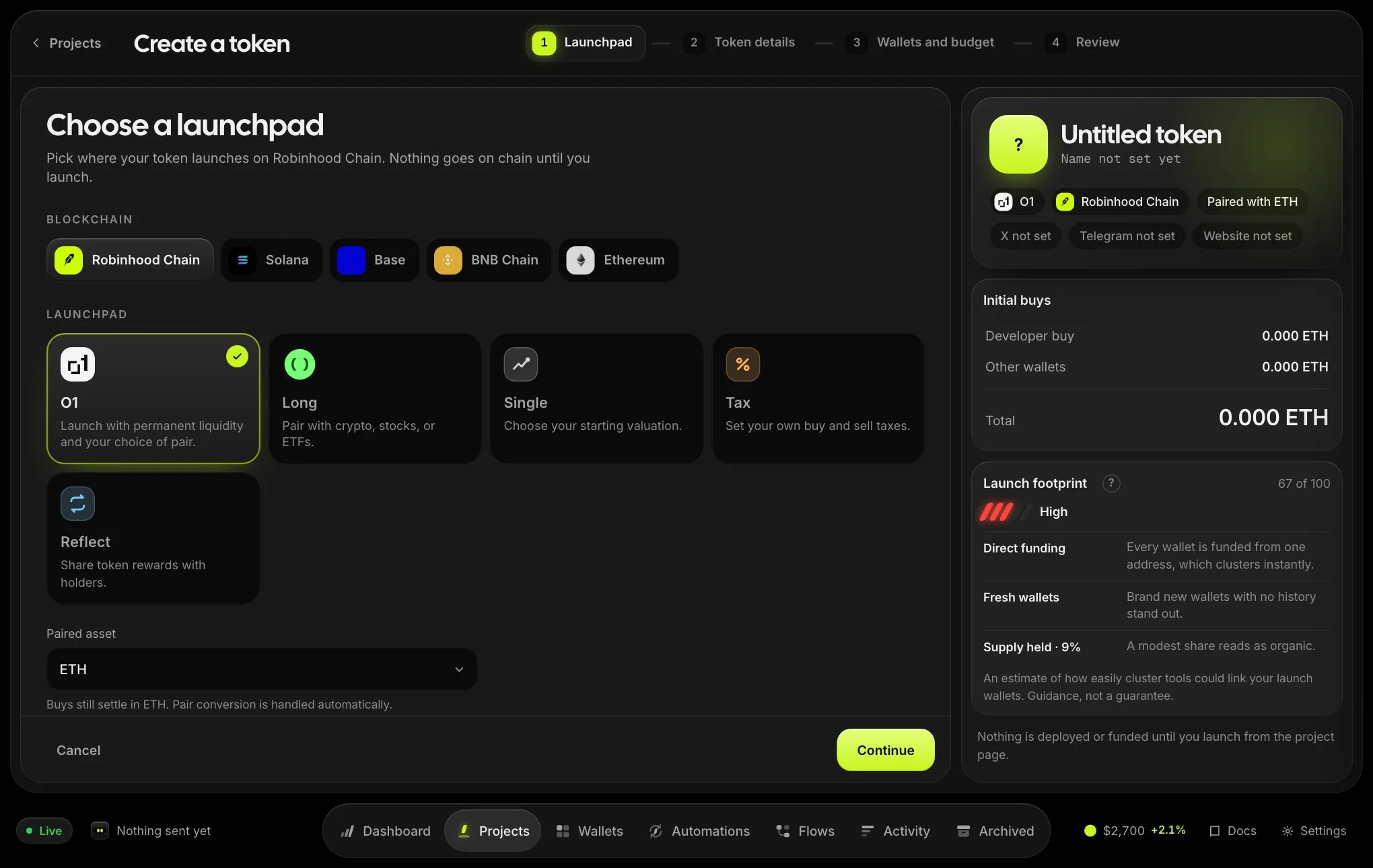
- LaunchpadChoose the chain and launchpad. Some launchpads offer a paired asset and more settings. Open More launch settings to see them.
- Token detailsName (up to 60 characters), symbol (up to 20), description and logo, exactly as they will appear on the launchpad. Social links are optional unless the launchpad requires them.
- Wallets & budgetPick a launch preset, set the initial buys, and choose your wallets: fresh, a folder, a previous project, or aged wallets from the marketplace.
- ReviewCheck everything, then save the draft. The summary on the right updates as you go.
Initial buys
Where the launchpad supports it, choose by supply percentage: set how much of the supply the developer wallet and the trade wallets should buy, then select Estimate launch to see the funding needed and the market cap after the buys. Otherwise enter the amounts directly.
After saving
You land on the project page. Continue with funding and launching. You can edit the draft until you launch.