Simple and Pro
Two ways of showing the parts of Printer that take the most learning.
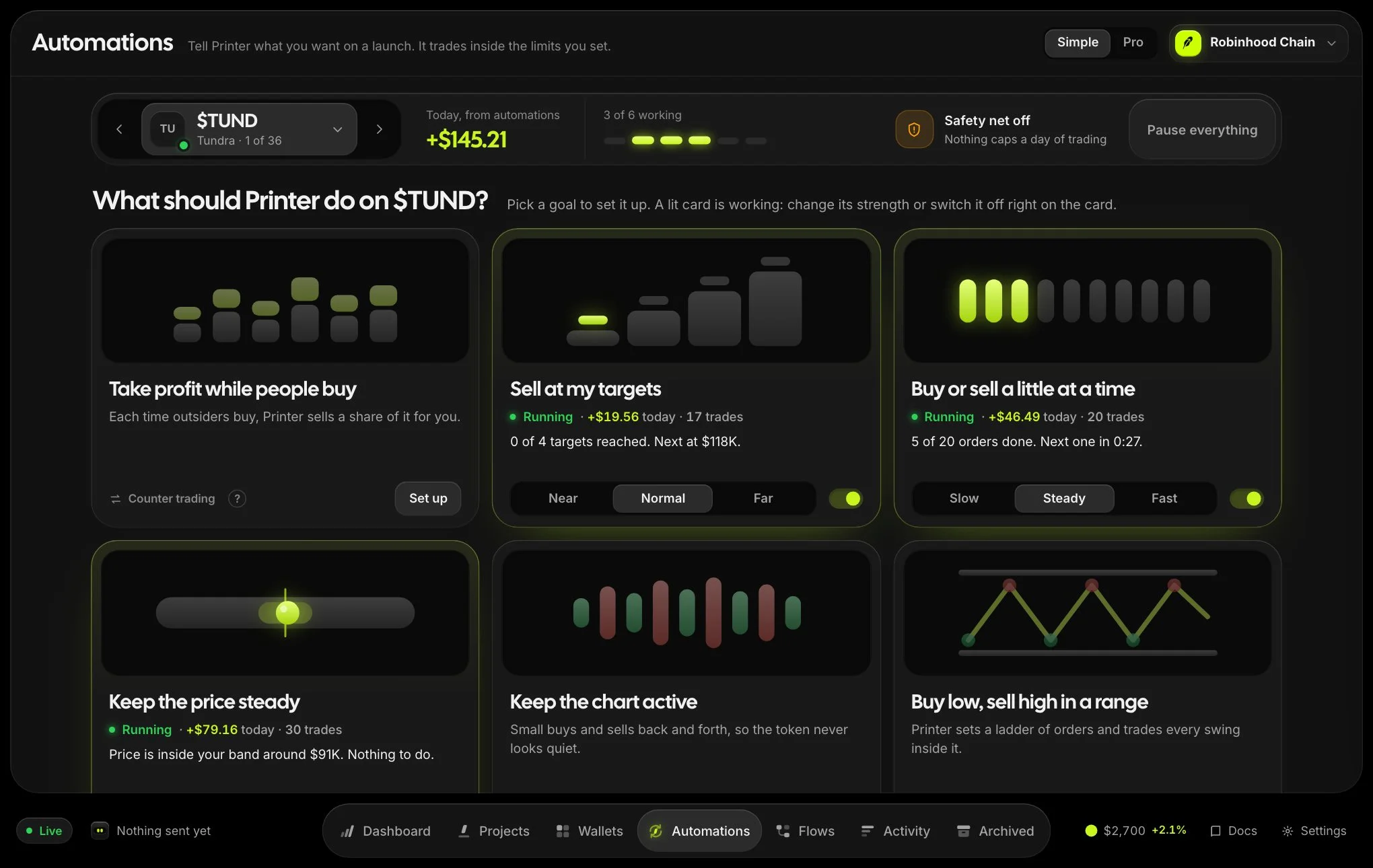
Printer has two ways of showing the parts that take the most learning. Simple is the default: it asks what you want and writes the settings for you. Pro shows every control at once.
Both work on the same launches, strategies and flows, so you can switch at any time and nothing is lost.
Switching
Use the Simple and Pro switch in the top bar of the dashboard, Automations or Flows, or under View in Settings. Your choice is remembered in this browser.
What changes
| Screen | Simple | Pro |
|---|---|---|
| Dashboard | The total, one next step and your top launches. Break it down opens the full breakdown in place. | Live launches, profit by chain, realized and unrealized, automations, the launches table, what needs attention and a live feed. |
| Automations | One launch at a time. Six goals, three strengths each, one button to start. | Every strategy on every launch in one desk, with every setting. |
| Flows | Rules written as a sentence: when this happens, do that. Ideas to start from. | The canvas, with branches, loops, variables and expressions. |
Projects, the trading workspace and Activity are the same in both. Wallets opens in Pro whatever you chose elsewhere. Its own switch offers a row of four goals in plain words, and that choice is kept for Wallets only.
Goals and the strategies behind them
In Simple each strategy is named for what it does. The strategy’s own name stays on the card, so both vocabularies lead to the same place.
| Goal | Strategy |
|---|---|
| Take profit while people buy | Counter trading |
| Sell at my targets | Limit & range orders |
| Buy or sell a little at a time | Scheduled trades |
| Keep the price steady | Price anchor |
| Keep the chart active | Volume bot |
| Buy low, sell high in a range | Grid bot |